Auto-Apply With Claude Code and the Upwork MCP
A headless Claude Code agent checks each job against written criteria, fixes what's fixable, prices the bid and submits the proposal, then reads it back and logs a receipt.
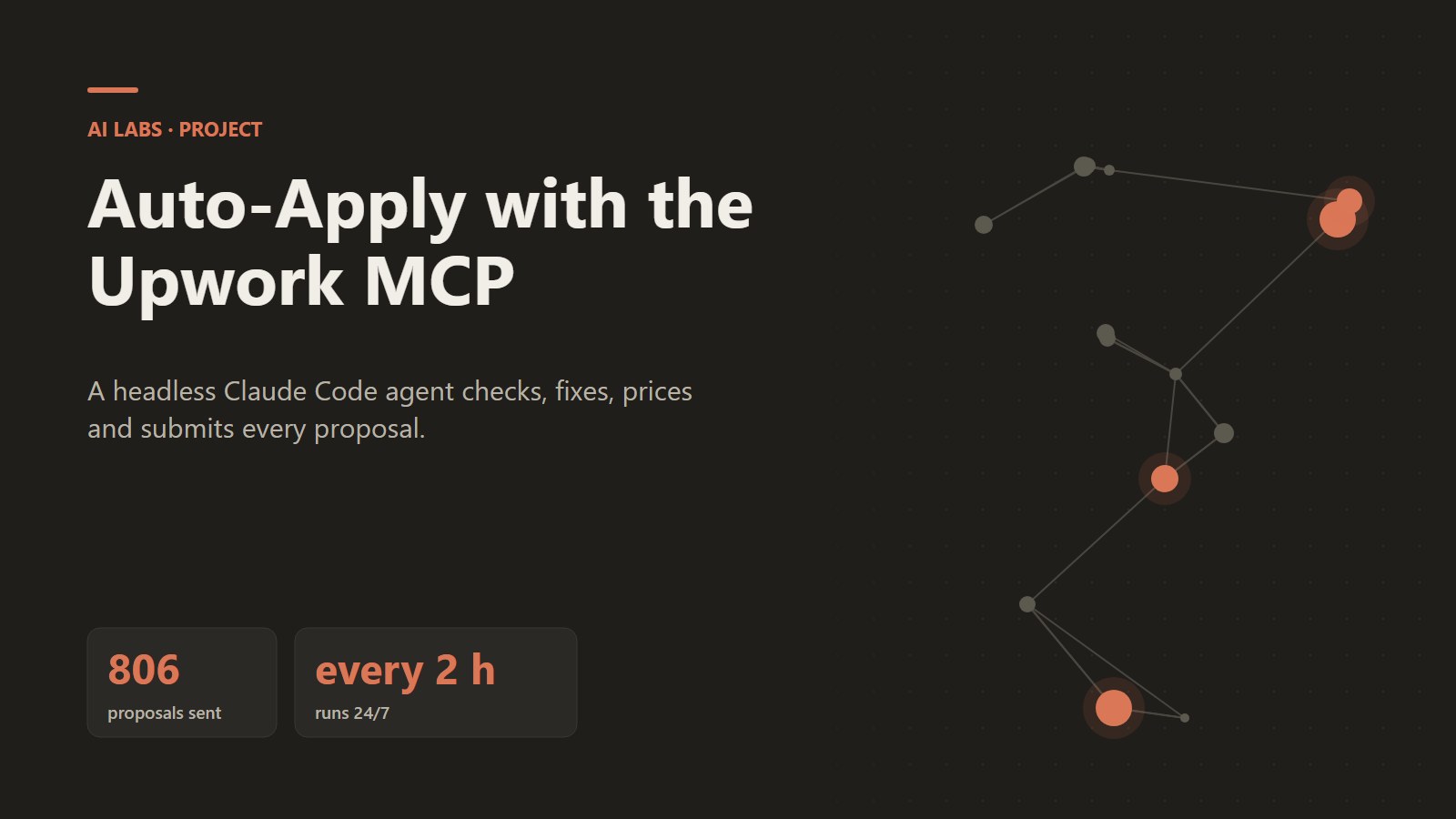
806 proposals submitted, each with its own demo, video and cover letter; runs every two hours.
TL;DR
- 806 proposals submitted, each with its own demo, video and tailored cover letter.
- The agent follows written application criteria: when to skip, how to price, how much to boost.
- Every submission is read back from Upwork, logged with a receipt and written to Notion.
The problem
After demo, video and cover letter were automated, someone still had to open each job, check it was still open, check the client hadn't already hired, pick an hourly rate, decide on a boost, paste the answers and click submit. With thousands of ready cover letters in the queue, that meant hours of clicking, and the backlog meant some jobs had closed by the time we got to them.
What we built
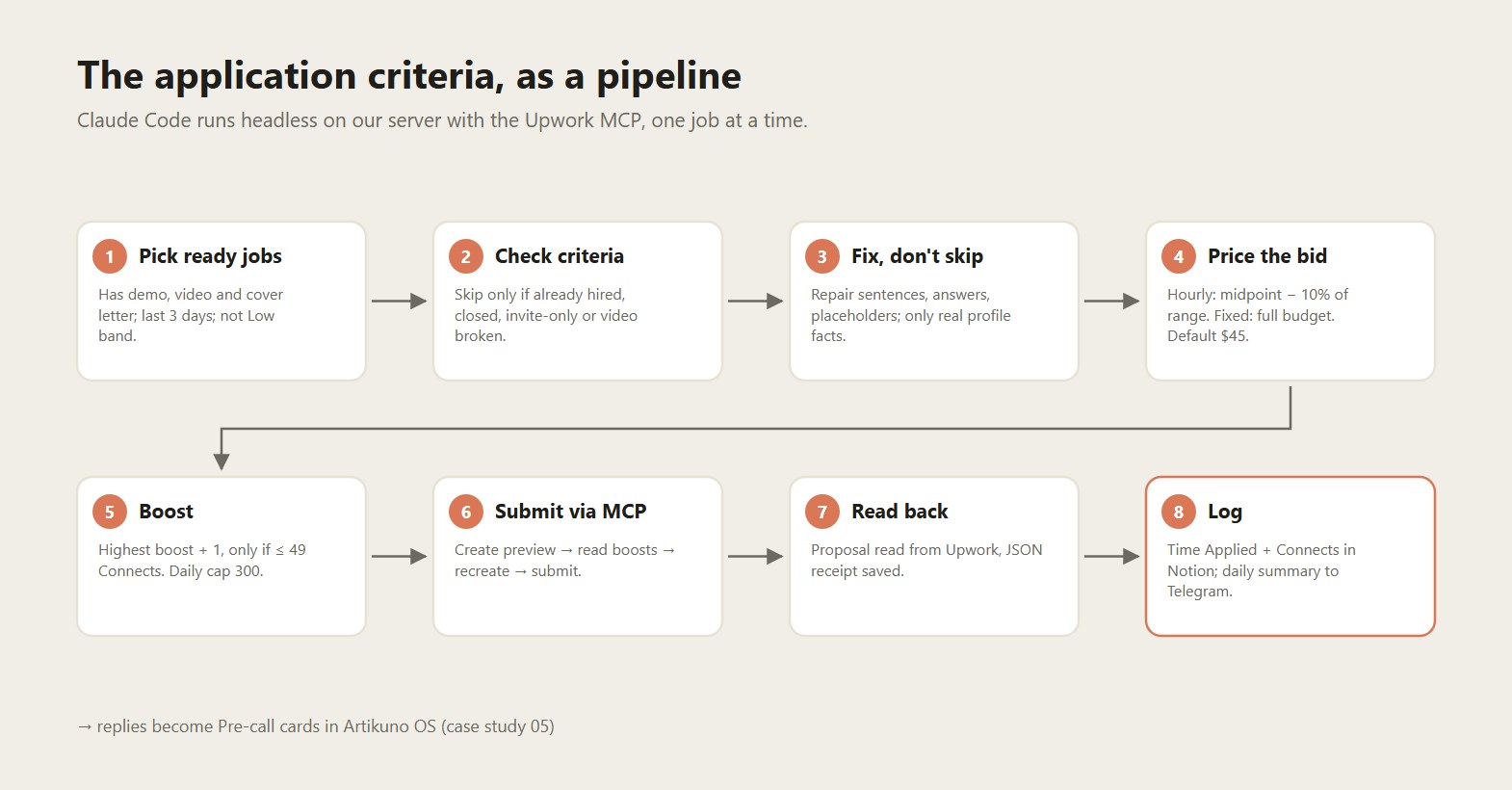
A scheduled agent, not a script: Claude Code runs headless (claude -p) on our server with the Upwork MCP connected and a prompt that spells out the rules below. It works through the queue one job at a time, like a careful assistant would.
The application criteria
1. Check first: skip only for real reasons
- The client has already hired.
- The job is closed or invite-only.
- The video doesn't work, or was made for a different job.
Upwork itself also blocks already-applied jobs, fixed-price jobs without a budget, and anything over our daily cap.
2. Fix, don't skip
The goal is to apply. Fixable problems get fixed before sending: unfinished sentences, missing or mismatched screening answers, the wrong domain, leftover placeholders, or a dead demo link (that sentence is removed). Fixes may only use facts from our profile, never invented numbers, years or certificates. The fixed text is written back to Notion and the change is noted in the receipt.
3. Price the bid
| Situation | Rule | Example |
|---|---|---|
| Hourly with a range | Slightly below the middle: midpoint − 10% of range width | $20–40 → $28 |
| Hourly, no range | Default | $45 |
| Fixed price | The client's full posted budget, one payment, no milestones | — |
| Our text quotes a different rate | Skip. The bid must never contradict our own words | — |
4. Boost
Bid the highest current boost +1 Connect, only if that comes to 49 or less. Otherwise don't boost. If nobody has boosted, bid Upwork's minimum. Daily cap: 300 Connects (Vienna time).
5. The cover letter format
- 1Greeting: company name, else first name, else city, else country ("Hey to Ireland!").
- 2The demo link, named in 2–4 words.
- 3The video link.
- 4A 2–3 sentence fit section that mirrors their exact tech stack, names a real client result and includes our Upwork credibility (Top Rated Plus, 100% JSS).
Banned words: excited, leveraging, I would love, passionate, thrilled, delighted, synergy. If the post says "start your proposal with X", X goes on line one.
Under the hood
- One preview at a time. On Upwork, creating a new proposal preview invalidates the previous one. So the agent goes create → read the boost bids → recreate with boost → confirm → next job. Running two agents at once would break both, so the old desktop task is permanently disabled.
- Receipts. After each submit the agent reads the proposal back from Upwork and saves a JSON receipt with the proposal ID, rate, Connects and boost, then sets
Time AppliedandConnects Spentin Notion. - Daily log. A summary (submitted, skipped and why, text edited) goes to a Notion "Auto-Apply Log" database and to Telegram.
- Safe modes.
--dry-runruns the whole decision process without submitting.--backfillrepairs the last 7 days of records without sending anything. - A gotcha worth sharing. The headless shell guard blocks commands containing JSON. Early runs submitted proposals but failed to record them, so later runs saw "already applied" and skipped. We switched recording to plain flags plus a JSON file on disk, and backfilled the gap.
Results
| Metric | Value |
|---|---|
| Proposals submitted (timestamped) | 806 |
| Cover letters written | 2,945 |
| Screening answers drafted | 644 jobs with at least one answer (up to 5 per job) |
| Run frequency | Every 2 hours, 24/7 |
| Human clicks per proposal | 0 (approval only when rules change) |
What we learned
- Write the rules down as if for a new hire. The prompt is basically an onboarding doc. When something went wrong, the fix was almost always one sentence more precise in the rules.
- "Fix, don't skip" beats perfectionism. The first version skipped anything imperfect. Most problems turned out to be trivial to repair, so we now repair them and send.
- Always read back. Trusting "submitted" without reading the proposal back caused our only real data-loss bug.
Connected projects
- Upstream → Demo Factory → Pitch videos
- Downstream: every client who replies becomes a Pre-call card in → Artikuno OS with
Lead from = Upwork.
Images.
Ready to build your AI project?
Free 30-minute discovery call. No pitch. Just a conversation about what AI could do for you.
- Free · 30 min
- A concrete first step you can act on
- In German or English, online