F1 Pit Stop: Building a Shopify Store From Every Side at Once
Like a pit crew, parallel AI agents build a store's frontend, products, media and settings at the same time from one brief, and a checker signs it off.
One brief in, a launch-ready draft store out, reviewed by the client before anything goes live.
TL;DR
- One input: a brief, a folder of product media and store access.
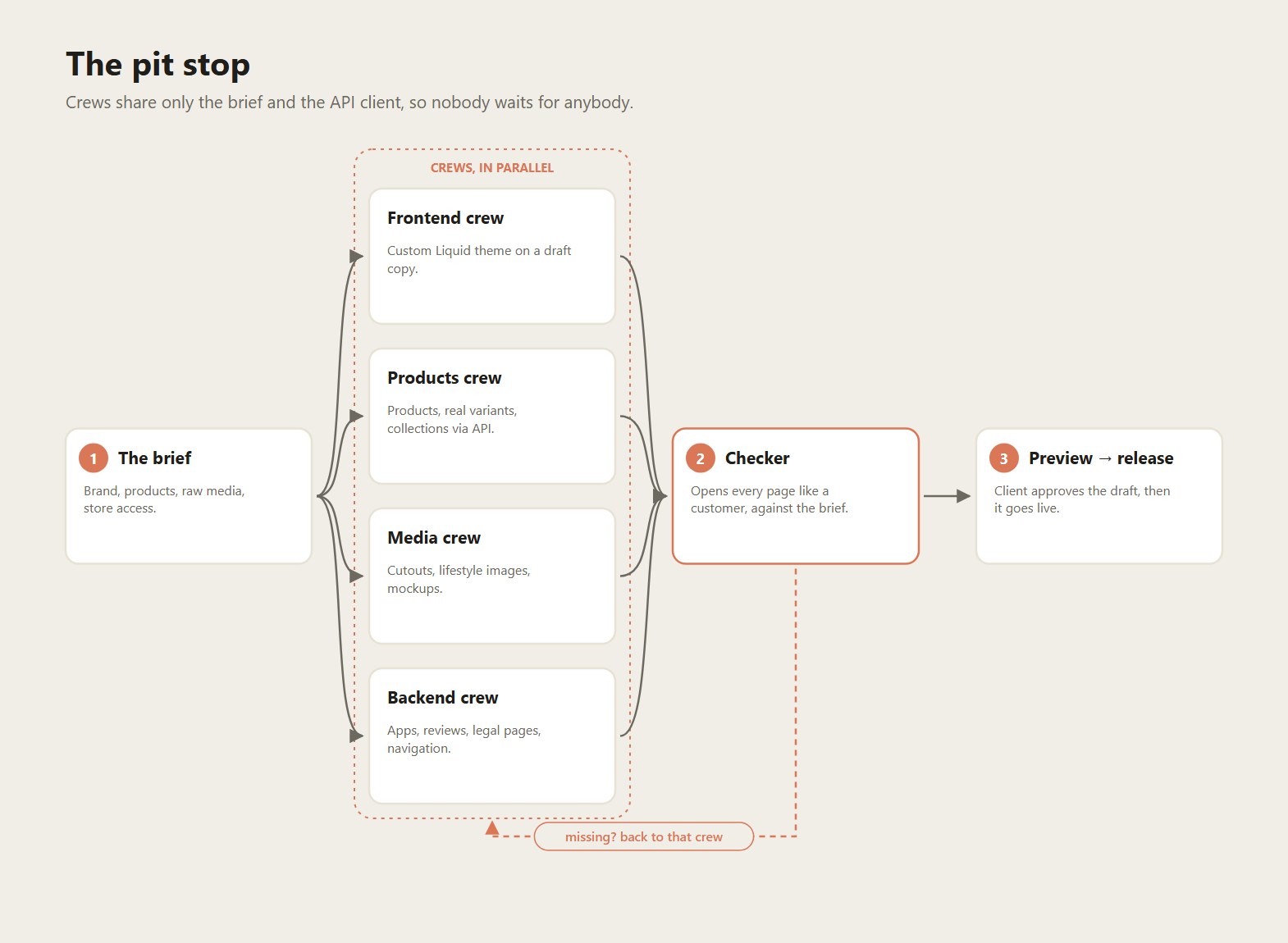
- Four crews in parallel: frontend, products, media, and backend/functionality, plus a checker that compares the result with the brief.
- One output: a launch-ready store, produced as a draft theme the client can preview before anything goes live.
The problem
A normal Shopify build is a relay race: brand and theme first, then products, then photos, then apps and settings, then copy, then QA. Each handover waits for the previous one, so the whole thing takes weeks. But most of these steps don't actually depend on each other. The theme doesn't need final product copy, and product creation doesn't need the theme.
The process
1. The brief (the car pulls in)
Everything comes from one structured input: - brand: name, tone, colours, reference stores, - products: names, variants, prices, specs, - media: raw product photos and videos, - access: Admin API token and Shopify CLI access.
2. The crews (all at once)
| Crew | What it builds |
|---|---|
| Frontend | A custom Liquid theme: homepage sections, product page, collection grid and cart, in the brand's colours and type. Always on a draft copy, never the live theme. |
| Products | Products, real variants (size / colour / quantity as options, not separate products), descriptions, SEO fields, collections, all through the Admin GraphQL API. |
| Media | Cutouts, lifestyle images, mockups and a media kit generated from the raw photos, then attached to the right products. |
| Backend & functionality | Apps and settings: reviews imported into Judge.me, shipping and legal pages, navigation, metafields, integrations. |
3. The checker (the lollipop man)
A separate agent opens the store like a customer would and compares it with the brief: every product page, every collection, every link. Anything missing goes back to the crew responsible, and this loops until the checklist is green.
4. Release
The client gets a preview link to the draft theme and a short before/after report. When they approve, it's published.
Under the hood
- Per-store credentials. Each store gets its own
<PREFIX>_SHOP / _ADMIN_TOKEN / _API_VERSIONblock. Since Shopify discontinued legacy custom apps in January 2026, tokens come from a Dev Dashboard app through the OAuth authorize → code → access-token exchange. - One shared API client. A small Node.js client wraps the Admin GraphQL API (pagination, rate-limit backoff, error surfacing), so every crew talks to Shopify the same way.
- Draft-first. The Shopify CLI pulls the live theme, makes a copy and pushes changes to the copy. The live store is never edited directly.
- Big media lives outside git. Raw product media (~900 MB per store) sits in Google Drive. The repo only holds code, themes and generated assets.
- Lessons baked into the checker. Typical import mistakes are tested for automatically: variants created as separate products, missing SKUs and weights, English text in the German storefront, placeholder text left in sections, dead menu links.
Why it works
- Parallel by default. Crews only share the brief and the API client, so they don't block each other.
- The checker makes parallel safe. Speed without a final inspection would just ship mistakes faster.
- Draft themes make it client-friendly. The client reviews a real, clickable store, not mockups.
Connected projects
- Same Shopify Admin API tooling as → Supplier inventory sync
- Same "communicator → executor → checker" loop as → 4P Marketing website agents
- Store builds are strong portfolio proof for → Demo Factory
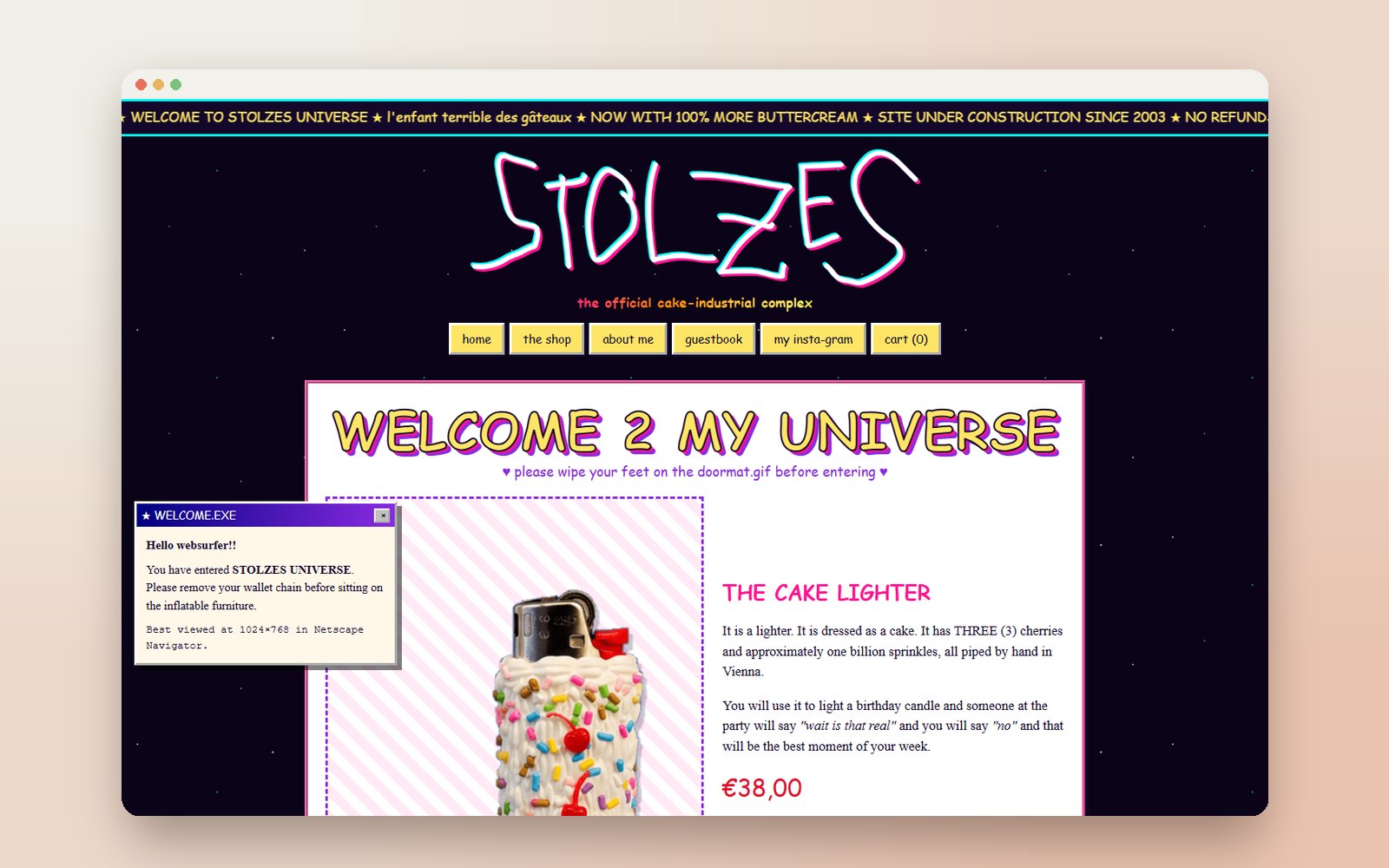
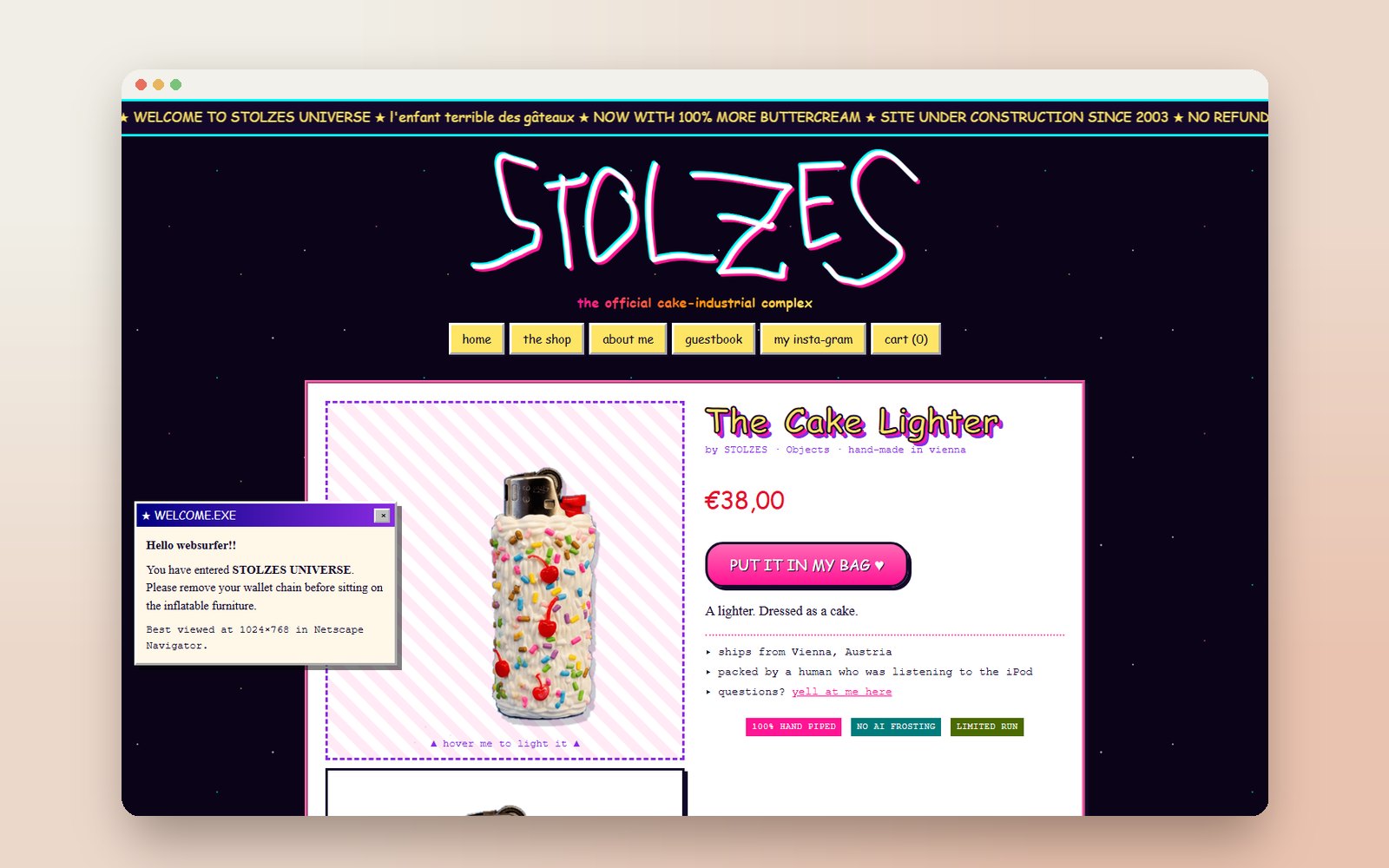
Images.
Ready to build your AI project?
Free 30-minute discovery call. No pitch. Just a conversation about what AI could do for you.
- Free · 30 min
- A concrete first step you can act on
- In German or English, online